
Onglet accueil
Prolongez l'expérience networking
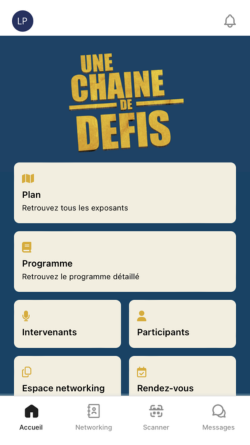
The home page is the page you will arrive at after logging in.
From this view, you will have access to certain services and pages linked to your networking space.
In particular, you will be able to consult your appointments, edit your availability, download your badge, the map and access your space.
Onglet networking
Recherchez et scannez les participants
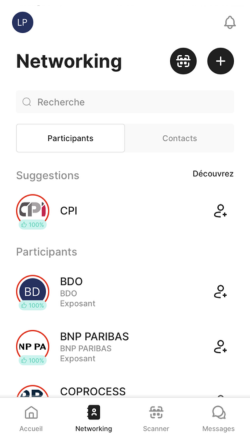
In the Networking section , find the list of your contacts registered for the event.
From this view, you will be able to add a contact by entering their name directly or by scanning their badge/QR code , by clicking on the small logo at the top right (red circle).
You can also easily scan a participant via the Scanner section (bottom center).
From the All tab on this same Contact page, easily find and add a participant by clicking on the button to the right of their name.
Once the contact is added, you will be able to qualify their profile, with a whole series of questions.
Onglet messages
Discutez avec vos contacts
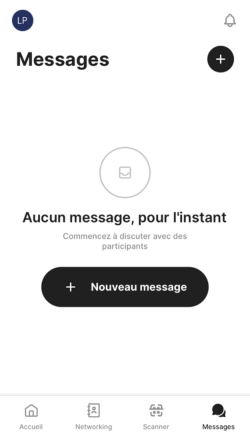
From this section, you will have access to all of your exchanges via chat.
When you receive a new message, a red dot will appear at the top right of the message icon. A black dot will flash to the right of conversations where you have unread messages.
You can also access or start a conversation with one of your contacts from your Contacts list by clicking on the Messages icon to the right of the participant's name.
Onglet profil
Téléchargez vos leads
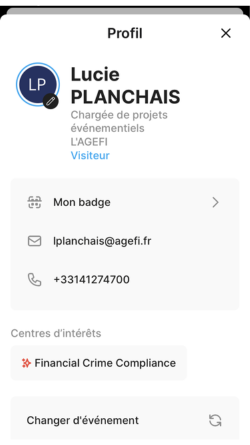
Your Profile brings together all the elements that identify you.
From this tab of the application you will find the possibility to download your leads and edit your profile picture / logo.
Please note that when you download your leads, the file is not sent to you directly. The file is sent by email to the person in charge of organizing the event within your company (the email address will be given to you when you download it).
For your information, the downloaded file will consist of all the leads made by all of your company's employees before, during and after the event.